
 Access Control
 Software
 eHajira - HR & Payroll Software
 Smart Lock / Hotel
 Face Reader (TA & AC)
 ZKTeco
 Hundure
 Virdi
 Slave Reader
 Anviz
 Fingerprint Scanner
 Access Control Accessories
 Access Control Power Supply
 Electromagnetic Door Lock (EM Lock)
 Push Button
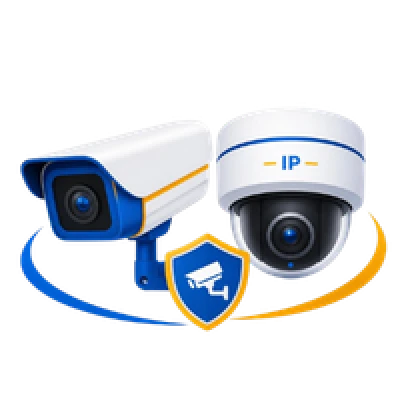 CCTV & IP Camera
 Wireless IP Camera
 Dahua Wireless IP Camera
 Hikvision Wireless IP Camera
 IMOU Wireless IP Camera
 Ezviz Wireless IP Camera
 Jovision Wireless IP Camera
 KERUI Wireless IP Camera
 ZKTeco Wireless IP Camera
 CCTV Camera
 Dahua CCTV Camera
 Hikvision CCTV Camera
 Avtech
 CCTV Camera Package
 Campro
 IP Camera
 Avtech IP Camera
 Hikvision IP Camera
 Dahua IP Camera
 TP-Link IP Camera
 Jovision IP Camera
 UNIVIEW IP Camera
 DVR
 Jovision DVR
 Avtech DVR
 Dahua DVR
 Hikvision DVR
 XVR
 Dahua XVR
 Jovision XVR
 Uniview XVR
 NVR
 Avtech NVR
 Dahua NVR
 Hikvision NVR
 Jovision NVR
 Uniview NVR
 PA System
 Conference System
 Wireless Conference System
 Ahuja Conference System
 Verbex Conference System
 ITC Conference System
 Bosch Conference System
 HTDZ Conference System
 TOA Conference System
 Portable Speaker
 Verbex Portable Speaker
 Ahuja Portable Speaker
 JBL Portable Speaker
 Havit Portable Speaker
 TOA Portable Speaker
 Megaphone
 Show Megaphone
 TOA Megaphone
 Ahuja Megaphone
 Verbex Megaphone
 Amplifier
 Ahuja Amplifier
 TOA Amplifier
 JBL Amplifier
 C-Yark Amplifier
 Verbex Amplifier
 DSPPA Amplifier
 ITC Amplifier
 Soundstandard Amplifier
 Ayzo Amplifier
 Beta3 Amplifier
 Peavey Amplifier
 Delta Amplifier
 Bosch Amplifier
 PA Speaker
 Garden Speaker
 Long Range Slim Array Speaker
 Column Speaker
 Wall Speaker
 Ceiling Speaker
 Horn Speaker
 Professional Loudspeaker
 Box Speaker
 Microphone
 MPro Microphone
 Verbex Microphone
 Bosch Microphone
 TOA Microphone
 Ahuja Microphone
 Clarion Microphone
 Wireless Microphone
 Bosch Wireless Microphone
 Studiomaster Wireless Microphone
 CMX Wireless Microphone
 Verbex Wireless Microphone
 Ahuja Wireless Microphone
 TOA Wireless Microphone
 HTDZ Wireless Microphone
 JBL Wireless Microphone
 MPro Wireless Microphone
 Driver Unit and Trumpet Horn
 TOA Driver Unit
 Ahuja Driver Unit
 Bosch Driver Unit
 Verbex Driver Unit
 Pa system Accessories
 Mixer & Zone Selector
 Bosch Mixer & Zone Selector
 HTDZ Mixer & Zone Selector
 Verbex Mixer & Zone Selector
 Ahuja Mixer & Zone Selector
 TOA Mixer & Zone Selector
 HTDZ Mixer
 Soundcraft Mixers
 DBX Zone & Audio Processor
 Yamaha Mixer
 Video Conference System
 AVer Video Conference
 logitech Video Conference
 IP PA System
 Dinstar IP PA System
 Verbex IP PA System
 C-YARK IP PA System
 PABX
 IP PBX
 Zycoo IP PBX
 Synway IP PBX
 Dinstar IP PBX
 OpenVox IP PBX
 Grandstream IP PBX
 IP Phone
 Panasonic IP Phone
 GrandStream IP Phone & PBX
 Flyingvoice IP Phone
 Fanvil IP Phone
 Yealink
 Synway IP PBX
 Dinstar IP Phone
 Snom iP Phone
 Zycoo IP PBX
 Yeastar IP PABX Machine
 Verbex Intercom and PABX
 IKE PABX & Intercom
 Telephone Set & Master Set
 Hellotel Telephone Set
 Panasonic telephone set
 Panasonic PABX & Intercom
 PABX & Intercom Accessories
 EAS Security
 EAS Gate
 Soft Tag
 Hard Tag
 Tag Removers and Detachers
 Tag Deactivator & Detector
 Alarm & Calling System
 Burglar Alarm
 Intruder Alarm System
 Glass Break Detector
 Door Sensor / Window Sensor
 Water Leakage Alarm Sensor
 GSM Alarm
 Carbon Monoxide & Gas Leak Detector Sensor
 Motion Sensor
 Smoke Detector
 Siren for Alarm System
 Home Security System
 Calling System
 Restaurant Calling System
 Window Intercom
 Kitchen call waiter system
 Queue call system
 Hospital call system
 Guest coaster pager system
 Wireless Tour-guide System
 Security
 Full Height Turnstile
 Swing Barrier
 Hand Held Metal Detector
 Tripod Turnstile
 ZKTeco Tripod Turnstile
 Dahua Tripod Turnstile
 Hikvision Tripod Turnstile
 Verbex Tripod Turnstile
 Archway Gate
 ZKTeco Archway Gate
 Hikvision Archway Gate
 Dahua Archway Gate
 Uniqscan Archway Gate
 Verbex Archway Gate
 MCD Archway Gate
 Garrett Archway Gate
 Under Vehicle Search Mirror
 Parking Barrier
 Dahua Parking Barrier
 ZKTeco Parking Barrier
 Hikvision Parking Barrier
 Verbex Parking Barrier
 Convex Mirror
 Flap Barrier Gate
 ZKTeco Flap Barrier Gate
 Hikvision Flap Barrier Gate
 Dahua Flap Barrier Gate
 Verbex Flap Barrier Gate
 Body Camera
 Barrier
 Queue Stand
 Loading Dock Bumpers
 PVC Tactile Paving
 Wheel Chock
 Reflective Guardrail Delineator
 Crash Resistance Lane Separator
 Rubber Column Guard
 Rubber Wheel Stopper
 Cable Protector
 Traffic Warning Light
 Traffic Cone Connect
 Tyre Killer Spikes
 Safety Sign
 Rubber Speed Breaker
 Safety Barricade Tape
 Crowd Control Stanchion
 Plastic Water Filled Barrier
 Warning Post
 Curb Ramp
 Traffic Cone
 LED Warning Traffic Baton
 Traffic Road Stud
 Baggage Scanner
 Networking
 Patch Panel
 Face Plate
 Access Point
 POE Switch
 Cable Manager
 Patch Cord
 RJ45 Connector
 Network Cable CAT6
 Dahua CAT6 Cable
 Mikrotik
 Router
 TP-Link Router
 Tenda Router
 Cudy Router
 Ruijie Router
 Netis Router
 Crimping Tools
 Server Rack
 Raised Floor
 Display & Signage
 Advertising Display
 Interactive Flat Panel (IFP)
 Accessories
 Office Equipment
 Barcode Scanner
 Cash Drawer
 HDMI Cable
 Web Design & Development
 Corporate Website
 Company Profile Website
 Agency Website
 Startup Website
 Portfolio Website
 Personal Website
 Landing Page
 Product/Service Showcase Website
 E-commerce
 Online Shop
 Multi-vendor Marketplace
 B2B E-commerce
 B2C E-commerce
 Subscription-based Store
 Booking & Order Website
 Industry-specific Website
 Restaurant Website
 Hotel/Resort Website
 Real Estate Website
 Hospital/Clinic Website
 School/College/University Website
 Travel & Tourism Website
 Law Firm Website
 Construction Company Website
 NGO Website
 News/Media Website
 Event Website
 Business Software
 ERP Software
 CRM Software
 HR & Payroll Software
 Accounting Software
 Inventory Management
 POS Software
 Project Management
 Task Management
 Employee Management
 Customer Management
 Industry Software
 School Management System
 Hospital Management System
 Restaurant Management System
 Pharmacy Management
 Real Estate Management
 Library Management
 Transport/Fleet Management
 Gym Management
 Appointment Management
 Online Platforms
 Learning Management System (LMS)
 Course Platform
 Job Portal
 Marketplace
 Freelancing Platform
 Booking Platform
 Membership Platform
 Community/Social Platform
 Classified Ads Website
 Advanced Web Development
 Custom Web Application
 SaaS Application
 API Development
 Third-party API Integration
 Payment Gateway Integration
 SMS/Email/WhatsApp Integration
 AI-powered Web Application
 Automation System
 Real-time Chat System
 Notification System
 CMS
 WordPress
 Shopify
 Webflow
 Wix
 WooCommerce
 Maintenance & Growth Services
 Bug Fixing
 Security Updates
 Speed Optimization
 Website Backup
 Server/Hosting Management
 Domain & SSL Setup
 SEO Technical Optimization
 Website Migration
 Performance Monitoring
 Content Update
 Website Maintenance
 Marketing
 Digital Marketing
Office Equipment Price in Saudi Arabia
Office Equipment Price in Saudi Arabia is starts from price SAR to SAR; depending on brand, capacity, and features. Buy best quality Office Equipment from renowned brands like from Unity International Services LLC Online Shop and browse below to place online order.

Office Equipment Price in Saudi Arabia
Office Equipment Price in Saudi Arabia starts from 350 SAR and can go up to 2,500 SAR, depending on the equipment type, model, capacity, technical specifications, functionality, connectivity, size, performance, and available features. Customers looking to buy quality Office Equipment in Saudi Arabia can browse suitable products from Unity International Services LLC Online Shop for corporate offices, small businesses, large companies, government offices, schools, universities, hospitals, hotels, banks, commercial organizations, reception areas, meeting rooms, administrative departments, and other professional workplaces.
Modern offices depend on different types of equipment to manage documents, communication, presentations, meetings, administration, information handling, and everyday workplace operations. The right office equipment can help create a more organized and functional working environment by providing employees with appropriate tools for routine business activities.
Office equipment is a broad category that may include document-related machines, communication equipment, presentation products, meeting room solutions, office electronics, information displays, and other professional workplace devices. The exact product range can vary according to business requirements and available models.
Customers can browse Office Equipment in Saudi Arabia from Unity International Services LLC and compare suitable options according to product type, specifications, capacity, connectivity, installation requirements, intended application, and budget.
Buy Office Equipment in Saudi Arabia
Office equipment can be used in almost every professional organization, from a small administrative office to a large corporate facility.
Potential applications include:
Corporate offices
Small businesses
Large companies
Government offices
Schools
Universities
Hospitals
Clinics
Hotels
Banks
Financial institutions
Commercial organizations
Administrative departments
Reception areas
Meeting rooms
Conference rooms
Training centers
Business centers
The appropriate products should be selected according to workplace requirements.
Office Equipment Price in Saudi Arabia
Office Equipment Price in Saudi Arabia starts from 350 SAR and can reach up to 2,500 SAR.
Actual prices can vary significantly depending on the type of equipment and technical configuration.
Important factors that can influence the price include:
Equipment category
Model
Capacity
Size
Performance
Technical specifications
Connectivity
Automation features
Digital functions
Intended application
Installation requirements
Additional features
Customers should review individual product specifications before ordering.
What is Office Equipment?
Office equipment generally refers to machines, electronics, devices, and professional tools used to support everyday office operations.
Depending on the organization, office equipment can support:
Document handling
Printing
Scanning
Copying
Communication
Presentations
Meetings
Information display
Administrative operations
Record management
Training
Collaboration
The equipment required by an office depends on its size, workflow, and business activities.
Office Equipment for Corporate Offices
Corporate offices often require multiple types of equipment to support employees and departments.
Potential requirements can include equipment for:
Administration
Finance
Human resources
Sales
Marketing
Reception
Meeting rooms
Training rooms
Management
Customer service
Equipment selection should match the operational requirements of each department.
Office Equipment for Small Business
Small businesses may need practical office equipment for essential daily operations.
Potential requirements include:
Document processing
Printing and scanning
Customer communication
Meetings
Presentations
Administrative tasks
When selecting equipment for a small business, consider functionality, available space, expected usage, and budget.
Office Equipment for Large Companies
Large companies may require office equipment across multiple departments, floors, branches, or buildings.
Important considerations can include:
Equipment capacity
Number of users
Connectivity
Centralized management
Department requirements
Installation location
Future expansion
Equipment should be selected according to the scale of operations.
Office Equipment for Government Offices
Government offices can use professional office equipment for administrative and operational activities.
Potential applications include:
Document management
Printing
Scanning
Presentations
Meetings
Public information
Internal communication
Training
Technical and procurement requirements should be considered when selecting products.
Office Equipment for School
Schools may require office equipment in:
Administration offices
Teacher rooms
Libraries
Reception
Meeting rooms
Training areas
Academic departments
Products can support documentation, communication, presentations, and administration.
Office Equipment for University
Universities can use office equipment across:
Administrative buildings
Faculty offices
Libraries
Meeting rooms
Training rooms
Student service areas
Departments
Conference facilities
The required equipment depends on the institution's operational requirements.
Office Equipment for Hospital
Hospitals and healthcare facilities can require office equipment in non-clinical and administrative areas such as:
Administration
Reception
Human resources
Finance
Meeting rooms
Training rooms
Management offices
Products intended for specialized medical applications should be selected separately according to relevant requirements.
Office Equipment for Hotel
Hotels can use office equipment in:
Administration offices
Reception support areas
Finance departments
Human resources
Sales offices
Meeting facilities
Management offices
The appropriate equipment depends on the hotel's operational environment.
Office Equipment for Bank
Banks and financial institutions may require equipment for administrative, documentation, presentation, and office operations.
Potential locations include:
Branch offices
Administrative departments
Meeting rooms
Management offices
Training facilities
Customer service areas
Product specifications should match organizational requirements.
Office Equipment for Reception Area
Reception is an important customer-facing area in many organizations.
Office equipment for reception can support:
Visitor information
Communication
Document handling
Digital information
Administrative activities
Customer service
The selected equipment should fit the available space and workflow.
Office Equipment for Meeting Room
Meeting rooms can require equipment for:
Presentations
Video meetings
Audio communication
Collaboration
Document display
Training
Team discussions
The complete meeting room solution should be planned according to room size and number of participants.
Office Equipment for Conference Room
Conference rooms can require more advanced presentation and communication equipment.
Potential requirements include:
Large displays
Interactive displays
Video conferencing equipment
Audio equipment
Presentation systems
Collaboration devices
Compatibility between devices should be reviewed during system planning.
Office Equipment for Training Room
Training rooms can use office and presentation equipment for:
Employee training
Professional development
Workshops
Presentations
Group activities
Digital learning
Equipment should be selected according to the number of participants and training format.
Office Printing Equipment
Printing remains an important office function for many organizations.
Office printing equipment can support:
Reports
Business documents
Forms
Internal documentation
Customer documents
Administrative materials
When selecting printing equipment, consider expected print volume, paper requirements, connectivity, and workflow.
Office Printer
Office printers can vary according to printing technology, capacity, connectivity, and functionality.
Important considerations include:
Print volume
Print speed
Paper size
Connectivity
Network support
Color or monochrome requirements
Duplex functionality where available
Choose according to the expected office workload.
Multifunction Printer for Office
A multifunction device can combine several document-related functions in one machine, depending on the model.
Functions may include:
Printing
Scanning
Copying
Other supported document functions
This can be useful where office space and workflow efficiency are important.
Office Scanner
Scanners can convert physical documents into digital files.
Potential uses include:
Document archiving
Record keeping
Digital workflows
Administrative processing
Document sharing
Scanning speed, resolution, document size, and feeder capacity can be important purchasing factors.
Office Copier
Copying equipment can support organizations that frequently duplicate business documents.
Selection factors can include:
Copy volume
Paper size
Speed
Capacity
Connectivity
Additional document functions
The appropriate model depends on office workload.
Office Shredder
Document shredders can help organizations dispose of paper documents.
Potential considerations include:
Sheet capacity
Bin capacity
Shredding method
Intended usage level
Paper handling capability
Organizations handling confidential information should also follow their internal information-security and document-disposal policies.
Office Laminator
Laminating equipment can be useful for protecting printed materials.
Potential applications include:
Notices
Information sheets
Identification materials
Instruction cards
Training materials
Display documents
The appropriate laminator depends on document size and usage requirements.
Office Binding Machine
Binding machines can help prepare professional documents.
Potential applications include:
Reports
Proposals
Training manuals
Presentations
Company documents
Project documentation
Binding format and document capacity should be considered.
Office Paper Cutter
Paper cutters can support document preparation and finishing.
They may be useful in:
Administrative offices
Schools
Printing areas
Training centers
Document preparation departments
The appropriate size and capacity depend on the intended use.
Office Projector
Projectors can be used for presentations and training where appropriate.
Potential applications include:
Meetings
Training
Seminars
Presentations
Classroom-style sessions
Important factors include brightness, resolution, room size, projection distance, and connectivity.
Office Display Screen
Display screens can support:
Presentations
Digital information
Meetings
Dashboards
Training
Corporate communication
The appropriate screen size and resolution depend on viewing distance and room size.
Interactive Flat Panel for Office
Interactive Flat Panels can support modern collaboration and presentations.
Potential uses include:
Digital whiteboarding
Presentations
Meetings
Training
Annotation
Team collaboration
Features depend on the selected model.
Office Digital Signage
Digital signage can be used in office environments for:
Visitor information
Corporate announcements
Event information
Internal communication
Branding
Directions
Digital signage requirements should be planned according to the intended content.
Office Advertising Display
Advertising and information displays can be useful in customer-facing commercial offices.
Potential applications include:
Product promotions
Service information
Corporate branding
Customer communication
Promotional videos
The display should be selected according to the installation area.
Office Video Conference Equipment
Video conferencing equipment can support communication between remote teams, branches, clients, and business partners.
A typical environment may include:
Camera
Microphone
Speakers
Display
Computer or conferencing device
Compatible software
The complete configuration depends on room requirements.
Office Conference System
Conference systems can support structured audio communication in meetings.
Potential environments include:
Boardrooms
Conference rooms
Council-style rooms
Training rooms
Management meetings
System requirements depend on the number of participants and room layout.
Office Audio Equipment
Audio equipment can support meetings, presentations, training, and announcements.
Potential equipment can include:
Microphones
Speakers
Amplification equipment
Conference audio devices
Other compatible audio products
The appropriate system depends on room size and application.
Office Presentation Equipment
Presentation equipment can help employees communicate information visually.
Potential products and solutions may include:
Display screens
Projectors
Interactive displays
Presentation accessories
Compatible connectivity equipment
The complete setup should match the room requirements.
Office Communication Equipment
Office communication equipment can support interaction between employees, departments, customers, and remote participants.
Applications can include:
Meetings
Video calls
Audio communication
Presentations
Internal collaboration
Connectivity and compatibility are important considerations.
Office Equipment with Wi-Fi
Some office devices may support Wi-Fi connectivity.
Wi-Fi can be useful for:
Network access
Wireless printing
Content sharing
Device management
Compatible collaboration functions
Actual capabilities depend on the selected product.
Office Equipment with Ethernet
Ethernet connectivity can provide wired network access for compatible office devices.
Potential applications include:
Network printers
Digital displays
Conference equipment
Network communication devices
Network requirements should be reviewed before installation.
Office Equipment with USB
USB connectivity is common across many office products.
Depending on the device, USB can support:
File transfer
Media playback
Peripheral connections
Computer connectivity
Data access
Supported functions vary by product.
Office Equipment with HDMI
HDMI can be important for presentation and display equipment.
Potential connections include:
Laptop to display
Computer to monitor
Media player to screen
Conferencing device to display
Check the available ports before purchasing.
Office Equipment for Document Management
Document-related equipment can help organizations manage physical and digital information.
Potential workflow areas include:
Printing
Scanning
Copying
Archiving
Binding
Document finishing
Secure disposal
Organizations should select equipment according to their document volume and workflow.
Office Equipment for Business Presentation
Business presentations may require a combination of:
Display equipment
Computers
Presentation accessories
Audio equipment
Interactive technology
The setup should reflect audience size and room conditions.
Office Equipment for Hybrid Work
Hybrid workplaces may combine in-office and remote communication.
Potential equipment can support:
Video meetings
Audio communication
Screen sharing
Presentations
Team collaboration
Training
The exact solution depends on organizational requirements.
Office Equipment for Modern Workplace
A modern workplace can integrate document, display, communication, and collaboration technologies.
Potential requirements include:
Digital document processing
Network connectivity
Presentation displays
Interactive collaboration
Video communication
Information display
Equipment should be selected according to the organization's workflow rather than simply choosing the highest specification.
Office Equipment for New Office Setup
Setting up a new office requires planning according to employee numbers, departments, and business activities.
Important areas to consider include:
Reception
Workstations
Administration
Meeting rooms
Conference rooms
Training areas
Printing areas
Management offices
A structured equipment plan can help avoid unnecessary purchases.
Office Equipment for Office Upgrade
Organizations upgrading an existing office should first evaluate current equipment.
Consider:
Existing device condition
Current capacity
Connectivity
Compatibility
Usage volume
New business requirements
Future expansion
Equipment that still meets requirements may not need immediate replacement.
Office Equipment for Riyadh
Businesses looking for Office Equipment in Riyadh can compare products according to their operational requirements, technical specifications, capacity, connectivity, and budget.
The appropriate equipment depends on the type and size of the organization.
Office Equipment for Jeddah
Customers searching for Office Equipment in Jeddah can evaluate suitable products for corporate, educational, hospitality, healthcare, and commercial office environments.
Compare specifications before purchasing.
Office Equipment for Dammam
Organizations searching for Office Equipment in Dammam can select equipment according to office size, employee requirements, business activities, and technical needs.
Benefits of Quality Office Equipment
Selecting suitable office equipment can support:
Organized office workflows
Document handling
Business communication
Presentations
Meetings
Training
Collaboration
Information display
Administrative processes
Digital workflows
The actual benefits depend on choosing equipment appropriate for the intended use.
How to Choose the Best Office Equipment in Saudi Arabia
1. Identify Your Office Requirements
Determine which activities require equipment, such as printing, scanning, meetings, presentations, communication, or document processing.
2. Determine the Number of Users
Equipment for a small team can have different requirements from equipment used by a large department.
3. Check Capacity
Review the expected workload and choose suitable capacity.
4. Compare Technical Specifications
Compare specifications relevant to the product category.
5. Review Connectivity
Check Wi-Fi, Ethernet, USB, HDMI, Bluetooth, or other required connections.
6. Check Compatibility
Ensure that the equipment works with the computers, networks, software, and other systems used by the organization.
7. Consider Available Space
Select equipment that fits the intended office location.
8. Consider Future Requirements
Choose products with future office expansion in mind where appropriate.
9. Review Installation Requirements
Some equipment may require mounting, network configuration, electrical connections, or system integration.
10. Compare Price and Features
Compare the required functions with the available budget before making a purchasing decision.
Office Equipment Supplier in Saudi Arabia
Unity International Services LLC supplies Office Equipment in Saudi Arabia for compatible corporate, small business, government, education, healthcare, hospitality, financial, administrative, meeting, conference, training, document management, presentation, communication, and professional workplace applications.
Customers can compare suitable products according to equipment type, model, capacity, technical specifications, connectivity, compatibility, installation requirements, intended application, and budget.
Buy Office Equipment Online in Saudi Arabia
Browse and order Office Equipment online in Saudi Arabia from Unity International Services LLC Online Shop.
Compare suitable office products according to equipment category, model, capacity, performance, functionality, connectivity, size, technical specifications, installation requirements, and project budget.
Office Equipment Price in Saudi Arabia starts from 350 SAR and can go up to 2,500 SAR, depending on the equipment type, model, capacity, technical specifications, functionality, connectivity, size, performance, installation requirements, and available features.
Shop Office Equipment in Saudi Arabia from Unity International Services LLC for corporate offices, small businesses, large companies, government offices, schools, universities, hospitals, hotels, banks, reception areas, administrative departments, meeting rooms, conference rooms, training centers, presentations, communication, document management, and professional workplace applications.
Office Equipment Price in Saudi Arabia
| Product Name | Price |
|---|